September 16 release: knowledge base optimization and sender restriction
This release ships five features: three in the knowledge base, one in inbox routing, and one in the organization’s folders. Site sync is now a paid-plan feature.
Knowledge base optimization
An assisted review that reads the whole base, points out the problems and proposes fixes in batches. Nothing is written without your approval.
- Single-pass analysis. The engine snapshots the active content and analyses the entire base at once, rather than item by item.
- Progressive batches. Fixes arrive as reviewable batches. You apply, discard or adjust each one; application is atomic — either the whole batch lands, or nothing changes.
- Pending questions. When information is missing, the review asks instead of guessing. You answer or skip, one question at a time, and the answer goes back into the batch.
- Durable execution. The review runs on the server and survives closing the tab. Its state is visible at every step — “Reading the base”, “Identifying problems”, “Preparing batches”, “Awaiting review” — and it can be cancelled at any time.
- Explicit scope. The review acts only on the open base, and the screen says so.
Where: Knowledge Bases → open the base → Optimize base.
7-day trash in the base
- A removed item goes to the Trash tab instead of disappearing. The card shows the date it will be permanently deleted.
- Restore returns the item to the base, with semantic search rebuilt.
- Permanent purge runs hourly, after the 7 days.
Where: Knowledge Bases → open the base → Trash tab.
CSV export and sync
- Export the base as CSV downloads a file with every item.
- That same file, edited outside the platform, comes back in two modes: add only the new rows, or sync the base with the file.
- Before applying, the screen shows what will change — what is added, edited, removed — and flags format problems row by row.
- Application is atomic: if one row fails, the base is not left half-updated.
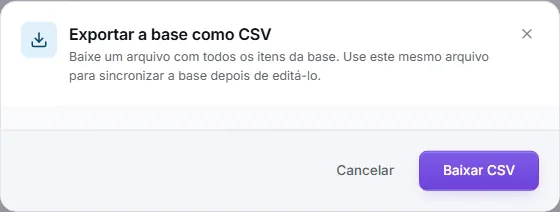
Where: Knowledge Bases → open the base → Export the base as CSV.
Sender restriction in the inbox
Sets who talks to the agent in each inbox.
- When on, only the senders on the list reach the agent. Everyone else comes in as human support, in the same inbox.
- The cut happens before the agent is loaded. A message outside the list never calls the model and uses no credit.
- An inbox that already exists keeps its behaviour until the list is saved for the first time.
- The screen shows how many ongoing conversations would be affected before you turn the restriction on.

Where: Inboxes → edit the inbox → advanced settings → Who the agent answers.
Shared files
- The organization’s folders in one place, with who each one reaches and the state of every computer.
- Access is granted per person or per team, and each synced computer appears with the binding it holds.
- Deletion goes through a trash with replicas, so a file deleted on one machine does not vanish from the others before confirmation.
Where: Settings → Shared files.
Site sync is now part of the paid plans
- Bringing a site’s pages into the knowledge base is now a paid-plan feature.
- On a plan without it, the screen shows See plans instead of offering the sync — both in the preview and on the sync buttons.
- Each site syncs at most once a day. A provider failure does not spend the day’s quota.
Where: Knowledge Bases → open the base → Site sync.
Fixes
- Site sync failing on provider downtime now respects the contracted schedule again, instead of retrying every five minutes.
- Context block: a search that fails no longer leaves the block blank.
- The Who answers field is back in the inbox editor.
- The inbox editor now states, in each collapsed section, what is in effect.
- The daily frequency subtitle promised “~6h” and was corrected.